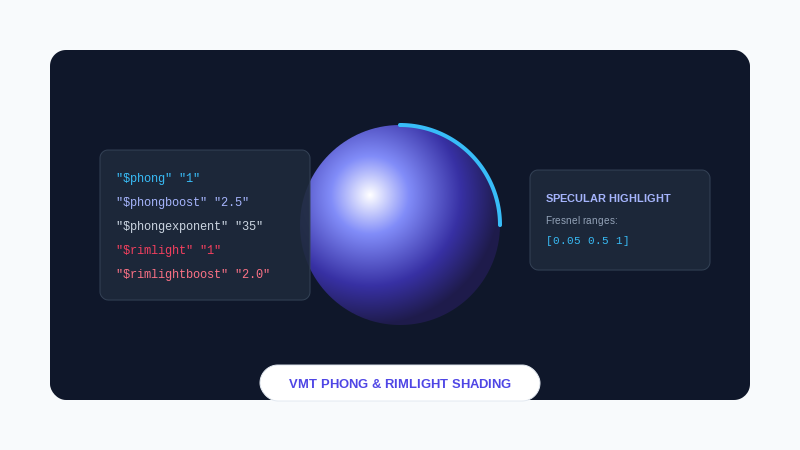
The Power of the VertexLitGeneric Shader
In Source Filmmaker, almost all character and prop materials rely on the VertexLitGeneric shader. When configured with default settings, models can appear flat and plasticky. However, by fine-tuning the Phong specular reflection model, normal bump maps, and rimlighting, animators can achieve remarkable surface realism.
Key Phong Parameters Explained
"VertexLitGeneric"
{
    "$basetexture"         "models/howlsfm/character/diffuse"
    "$bumpmap"             "models/howlsfm/character/normal"
    "$phong"               "1"
    "$phongboost"          "1.8"
    "$phongexponent"       "28"
    "$phongfresnelranges"  "[0.05 0.5 1]"
    "$rimlight"            "1"
    "$rimlightexponent"    "4"
    "$rimlightboost"       "2.0"
}
Understanding Parameter Behavior:
$phong 1: Activates the specular reflection engine. Requires a valid$bumpmapto calculate surface normals.$phongboost: Multiplies highlight brightness. For natural skin, values between 1.2 and 2.0 work best. For polished metals or latex, values of 5.0 to 10.0 provide high reflectivity.$phongexponent: Governs highlight tightness. A low value (5–12) creates a broad matte look. A high value (30–60) concentrates the highlight into a tight, glossy pinpoint.$phongfresnelranges "[0.05 0.5 1]": Simulates the Fresnel effect, making reflections stronger at glancing angles than when viewed head-on.$rimlight 1&$rimlightboost 2.0: Illuminates character silhouettes against dark backgrounds, preventing models from blending into shadow.
Inspect your own material scripts with our SFM Asset Inspector to verify syntax and ensure parameters are properly configured.
Leave a Reply